
Unleash the Power of Digital Documents: Your Guide to DigiLocker
 Talk to Expert
Gone are the days of carrying bulky files. DigiLocker provides a secure digital locker system to store and share your important documents online such as Identity Cards, Academic Transcripts, Rewards and Recognitions and many others. This blog explores DigiLocker, its features, benefits, and a guide on creating a DigiLocker account.

To ease the load of carrying multiple documents and aim towards a paperless governance DigiLocker has been introduced. DigiLocker is a secure gateway to store important documents for anywhere anytime use. All documents on Digi Locker are legally valid as long as their physical copies are. If you have documents stored in Digi Locker they can be shared easily with your consent. So if you are applying for admissions in India or abroad or for jobs, you can share your documents from Digi Locker with your consent.
Accessing and using Digi Locker is simple. You have to sign up first, then sign in with your credentials. After this, you can upload official documents, share your officially issued documents, get documents issued recently directly in the Digi Locker App, and verify them with ease. Digi Locker comes with lots of features, different categories of documentation and benefits of document exchange online rather than physically. If you are applying to universities abroad, your document sharing can be possible through DigilLocker. Get more details in the article.
- What is DigiLocker App?
- How does Digi Locker Work?
- What are the Categories of Documents that can be Stored in Digi Locker?
- How to Use DigiLocker?
- Popular Documents
- DigiLocker and Study Abroad
- Is it Mandatory to use Digi Locker for Study Abroad?
- Benefits of DigiLocker
- How safe is your Digi Locker Account?

What is DigiLocker App?
Digital Locker or DigiLocker is a key initiative by the Ministry of Electronics and Information Technology (IT), Government of India under their flagship scheme Digital India programme to provide access to authentic digital documents to Indian citizens via a document wallet called Digi Locker.
The Digital India initiative introduced by the Govt has been implemented with a vision to empower Indian citizens by making available a platform for the sharing and verification of documents and records in a digital way, thus eliminating the use of paper, moving towards paperless governance and aimed at transforming India into a digitally empowered nation.
How does Digi Locker Work?
DigiLocker aims to allow individuals to upload documents issued by various governments (Central and State) and Private Agencies on a secure public cloud and make them available for secure sharing with authorities in the future.
What are the Categories of Documents that can be Stored in Digi Locker?
In this section, we will look at the various agencies and categories of electronic copies of documents and records that an individual can store in the Digi Locker.
Central Governments
All central government institutions such as Central Banks, Central Universities, Central Hospitals, Sports Authority of India (SAI), Indian Railways, PSUs, and Government Department of various ministries such as the Income Tax Department, EPFO are registered with the platform and all records of these organizations can be retrieved by individuals and safely stored in the digital wallet.
State Governments
All 28 states and 8 union territories are equipped with Digi Locker facilities. State government-issued deeds such as birth and caste certificates, Academic Mark Sheets, Degrees and Diplomas of Academic Institutes belonging to the state, Registration of Vehicles, and Water bills/ connections can be retrieved by individuals and stored.
Private Agencies
Private banks such as ICICI, HDFC and insurance Companies such as LIC, and National Insurance are registered with the digital wallet for individuals to retrieve and save their records.
Education & Learning
Over 1,122 universities and colleges are registered with Digi Locker. Candidates belonging to these universities/colleges can simply put in their roll number, and year of passing to retrieve academic records from their academic institutions and save them in their Digi Locker Account.
Other sectors in sync with Digi Locker services include Banking, Financial Services & Insurance, Government & Public Sectors, Skill & Vocational Sectors, Ministry of Defence Sector, Health & Wellness Sectors, Transport & Infrastructure Sectors, Identity Documents, National Service Scheme and Sports & Culture.
Predict your IELTS, TOEFL, and PTE in just 4 steps!
How to Use DigiLocker?
Candidates are required to first create a Digi Locker account. They can create a DigiLocker account by following the below-mentioned steps.
Step 1: Visit your Google/ Apple Store to download the DigiLocker application or visit the official DigiLocker website: https://www.digilocker.gov.in/
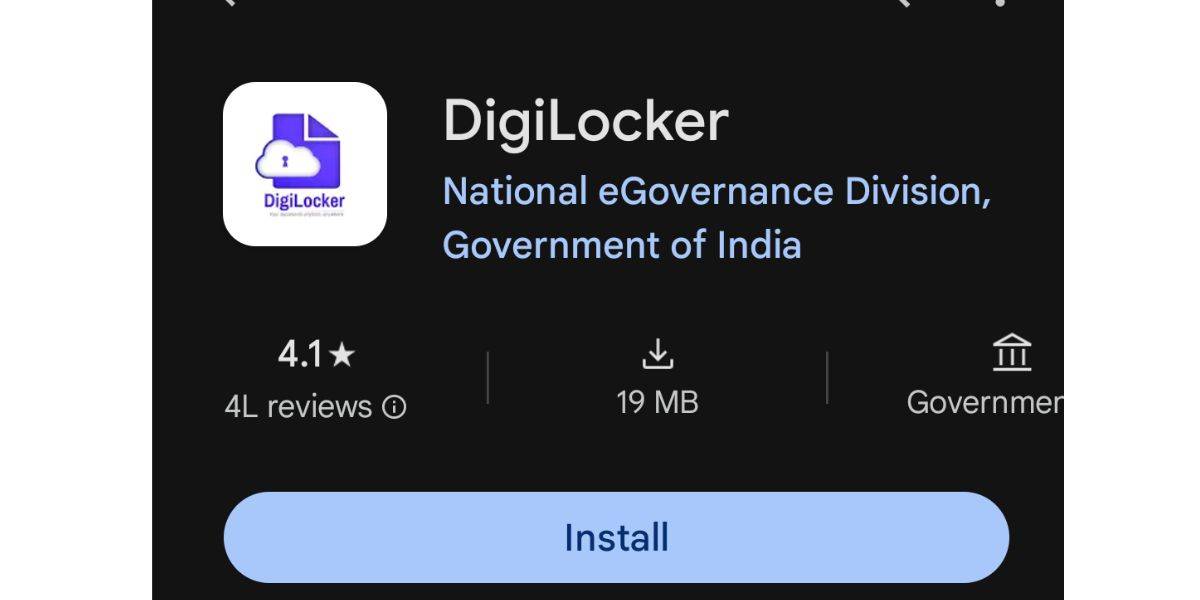
Source: Google Play Store
Step 2: Once you have the DigiLocker application on your phone, you will be required to select your preferred language from a list of regional languages available on your screen.
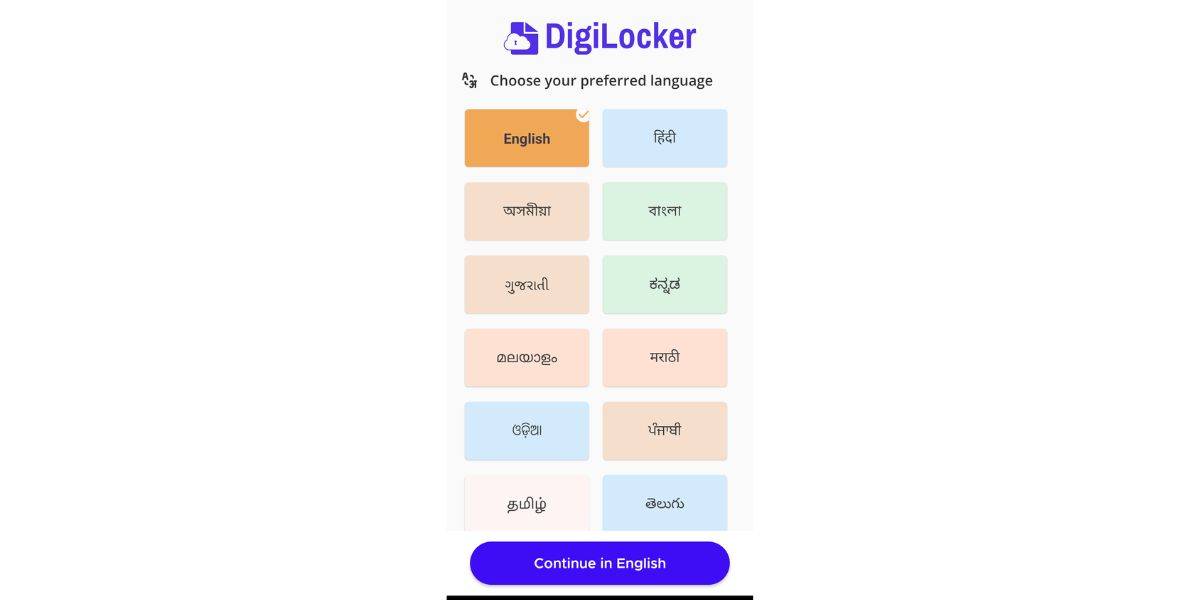
Digi Locker App Language Selection | Official Website
Step 3: Once you have selected your preferred language, you need to create a username and password with DigiLocker by putting in your full name, date of birth, sex, mobile number, and Email ID. Candidates would also be required to set a six-digit security pin which they would have to use to login / sign in to their Digi Locker Account in the future.
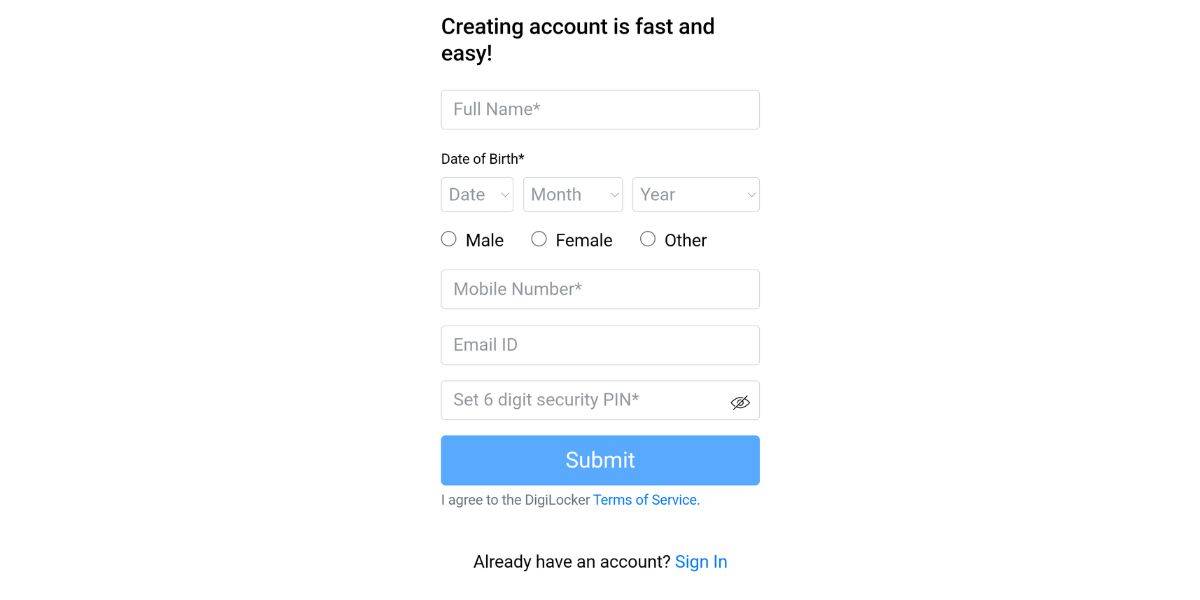
Digi Locker Account Sign-in | Official Website
Step 4: You will also have to authenticate your Aadhaar number using a two-step process (Aadhaar authentication + One-Time Password (OTP) on your registered mobile number) to avail all the features of your Digi Locker Account safely and securely.
Step 5: Once your Digi Locker Account has been created and authenticated with your Aadhaar card. You are then free to select the document(s) you need to retrieve and follow the mentioned steps. For example:
- Step 5a: Individuals looking to retrieve their PAN Card, will have to select the 'Add PAN Card' option, they will then be required to verify their name and Date of Birth (pre-filled), enter their PAN Card number and Name on the card (as it appears).
- The digital platform will then verify with the Income Tax Department and fetch a digital copy of your PAN Card which would be verified by the DigiLocker platform and have their verified logo.
- Step 5b: Individuals looking to retrieve their Driving Licence (DL), will have to select the 'Add Driving License' option, select the state transport department where their DL was issued and then verify their name and date of birth (pre-filled) and enter their DL number.
- The digital platform will then get in touch with the Transport Department of your state and fetch a digital copy of your DL which would be verified by Digi Locker and have their verified logo.
Step 6: Candidates would have to follow similar steps to retrieve all the required documents directly from the issuer. Here candidates should note that they are NOT required to upload any document or else it will not carry the badge of authenticity (DigiLocker Verified Logo). Candidates are only required to add their details and their records will be retrieved by Digi Locker and verified. Documents are not required to be digitally signed.
Step 7: Individuals can check all the issued documents available via the Home Screen of the Digi Locker Account, under 'Issued Documents'
Step 8: Individuals can then share these digital records safely and securely with organisations as and when they are required. These documents are deemed to be at par with original physical documents.
Remember: DigiLocker is a platform of the Government of India and is entirely free of cost.
Popular Documents
A lot of times, individuals might get overwhelmed with the introduction of new technology. However, to ease our readers, we have suggested a couple of documents that can be a good starting point to be saved in their Digi Locker Accounts. Individuals can save copies of documents and certificates without having to worry about a limit to their Digi Locker account as there is no restriction to the number of records that can be added.
- Aadhar Card
- Pan Card
- Voter ID
- COVID-19 Vaccine Report
- SSC/ CBSE Transcripts
- HSC/ ISC Mark Sheet
- Driving License
- Ration Card
- Vehicle Registration Certificates
- Income Proof
- University/ College Records
- Accolades/ Recognition
So for example you want to know how to add pan card in DigiLocker, you can simply log on to your DigiLocker account and pull the document officially. Go to issued documents, select pull documents from Income Tax Department. Enter PAN details and you will get your PAN card on DIgiLocker.
DigiLocker and Study Abroad
In this section, we are going to talk about how the Digi Locker facility can help students looking to study abroad and for the APS Certification for students looking to study in Germany.
Most universities and visa-granting bodies are interested to know that the academic documents that have been submitted by candidates are genuine and have not been tampered with. This is where Digi Locker becomes important, as DigiLocker allows access to documents anytime for all academic records be it your Degree, Diploma or Short-term courses while using Digi Locker are directly sent to your account with a Digi Locker Verified Badge. Hence, when there is no interference from the student in the document retrieval process thus, minimizing any chances of document tampering.
Similar candidates looking to study in Germany will have to provide their academic documents for APS Certification - a mandatory step before applying to universities in Germany.
Here with the help of Digi Locker, your academic documents will be sent to the APS Germany directly from via DigiLocker Account thus providing all documents in their authentic state with no candidate interference.
How to Use Digi Locker for Study Abroad/ APS Certification
- Candidates will be required to create a Digi Locker Account using the steps mentioned above.
- Students would be then required to search and select their Board/ University/ Institution in the Digi Locker platform for issuance and verification of documents.
- Students would be required to fill in their details like Roll no, Year of Passing and submit the details
- Digi Locker would then directly get in touch with the issuer to fetch your academic records and save them under issued documents section.
Is it Mandatory to use Digi Locker for Study Abroad?
While it is not mandatory to use Digi Locker for keeping your documents for the study abroad application process. However, our study abroad counsellors highly recommend that you use Digi Locker to store your academic documents as this would only shorten your application processing time. Similarly, keeping your academic documents in DigiLocker is a digital platform that is sure to bring down the APS Certification Processing time for Indian students looking to study in Germany.
Benefits of DigiLocker
The DigiLocker system provides citizens and government agencies to store original physical documents as per rule making them available at the fingertips of individuals ushering in a digitally empowered society and knowledge economy. In this section, we are going to be talking about the benefits of using a Digi Locker Account for everyday purposes and for studying abroad.
- First and foremost, Digi Locker is a secure cloud-based platform for sharing and validation of official documents. These are authentic paperless documents at par with hard copies which are globally recognised and accessible.
- Digi Locker is conveniently available via the web portal or by downloading the Digi Locker App on your Android/Apple phones.
- Digi Locker makes it easier to validate the authenticity of documents as they are directly issued by the registered bodies and not uploaded by an individual.
- Once your documents are available on the Digi Locker Account they can be accessed anywhere and at any time and shared online. This is not only convenient but also time-saving and minimises the use of paper.
- Since the documents are being stored online in a public cloud, they will be permanently available to the individual with no risk of losing, spoiling, or damage that could happen when using paper.
How safe is your Digi Locker Account?
Your Digi Locker Account is considered to be extremely safe as it uses real-time authentication via OTP on your registered cell phone number and a secure gateway for document sharing. The app encrypts the information you provide with 256-bit SSL certificates.
Candidates looking for assistance with university admissions can get in touch with our Shiksha Counselling Services on our website. Readers with queries on DigiLocker can reach out to us with their questions in the comments section below.

Commonly asked questions
The University of Aberdeen is a Scottish institution. Its MBA programme is offered by Business School which holds EQUIS accreditation. All programmes at the Mumbai campus of University of Aberdeen follow the same standards of governance, academic regulations, and assessment processes as those in Scotland. This ensures that students are awarded an identical degree in Mumbai campus as the UK degree.
The best university for engineering in the world is also listed among top 10 universities in the world 2026 list. According to THE World University Rankings 2025 by subject "engineering", Harvard University is the best engineering college in the world. However, according to the QS World University Rankings by Subject 2025: Engineering & Technology, MIT is the best college for engineering.
According to various parameters, some of the best engineering colleges in Europe are the
- Imperial College London
- The University of Cambridge
- Technical University Munich
- University of Oxford
- ETH Zurich
Students are advised to correct the errors even if it as a minor mistake. They must inform the school authorities about the error in the UK 10th hall ticket. School authorities will help you in getting the new hall ticket without any mistakes.
 Statement of Purpose
 Letter of Recommendation
 Student Visa Application
 Admission Essay Writing
 Student Curriculum Vitae
Aishwarya Bhatnagar is a specialised content curator with 8+ years of experience in EdTech content, particularly in studying abroad. She is a Study Abroad Expert at Shiksha.com (InfoEdge India Ltd) si
Read Full Bio