SEBA HSLC 2026 Official Website Down? Know Other Ways to Check Assam 10th Marksheet

SEBA HSLC 2026 Official Website Down? Know Other Ways to Check Assam 10th Marksheet

1 min readComment FOLLOW USPrefer Shiksha.comShiksha
Mayank
Mayank Uniyal
Assistant Manager
New Delhi, Updated on Apr 10, 2026 10:29 IST
Assam HSLC Result 2026 website is currently down due to heavy traffic and server load. Know other ways to check SEBA HSLC marksheet via SMS and DigiLocker easily. Alternatively, students can also download their result scorecard using the UMANG application. Read further to know more.

Assam HSLC Result 2026 website is currently down due to heavy traffic and server load. Know other ways to check SEBA HSLC marksheet via SMS, UMANG app and DigiLocker easily.

SEBA HSLC Result 2026

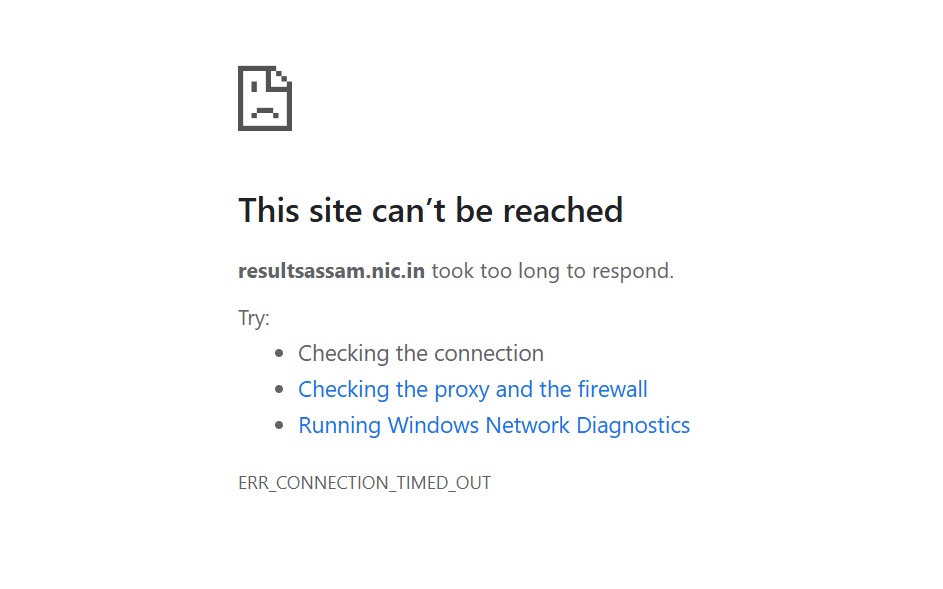
The SEBA HSLC Result 2026 website is currently down. The official website has crashed right after the announcement of Assam 10th result 2026 due to a surge in traffic. Lakhs of students trying to check their scores at the same time have caused the SEBA result website to become temporarily unresponsive. Students trying to check their marks online are facing loading errors and delays. However, there is no need to panic, there are other ways to check SEBA HSLC marksheet 2026.

LATEST:ย Assam HSLC Result 2026 @sebaonline.org: Live Updates on SEBA 10th Result Link, Toppers, Stats

SEBA Website Crash Due to Heavy Traffic

The official SEBA website is currently down due to heavy traffic. This usually happens during the result announcements. Students must not panic and can use other reliable methods to access their results.ย 

SEBA Website CRASH

How to Check Assam HSLC Result 2026 via SMS

Students can easily check their results through SMS without needing internet access.

  • Open the SMS application on mobile phone
  • Type ASSAM10 Roll Number at 5676750 or 56263
  • Send it to the official result number provided by SEBA.

Download SEBA HSLC Marksheet via Digilocker

Students can also download their digital marksheet using DigiLocker by following these steps:

  • Install or open the DigiLocker app or visit its official website
  • Sign in using your registered mobile number or Aadhaar
  • Go to the โ€œEducationโ€ section
  • Select โ€œBoard of Secondary Education, Assam (SEBA)โ€
  • Enter required details like roll number and year
  • Download SEBA HSLC marksheet 2026.ย 

Steps to Check SEBA Result on UMANG App

Students can check the Assam 10th result 2026 on umang App using below steps:ย 

  • Install or open UMANG app from Google Play Store or Apple App Store.
  • Search and find "SEBA" or click on "Education" section.
  • Select "HSLC Result 2026" (or the current year).
  • Enter roll number and any required credentials.
  • SEBA Assam HSLC marksheet will appear on screen.ย 
Staying updated about the latest educational events is just a click away
Enter Mobile Number

Follow Shiksha.com for latest education news in detail on Exam Results, Dates, Admit Cards, & Schedules, Colleges & Universities news related to Admissions & Courses, Board exams, Scholarships, Careers, Education Events, New education policies & Regulations.
To get in touch with Shiksha news team, please write to us at news@shiksha.com

About the Author
author-image
Mayank Uniyal
Assistant Manager

Mayank Uniyal is an MCom graduate in International Business. He has over 7 years of experience in content writing. He has been working in the education domain since the beginning of his career. He covers news and up

Read Full Bio
qna

Comments