REAP 2016 Application Begins, Check Process
 Call 8585951111Got Doubts?
REAP 2016 Application Form and Process!
The online registration for Rajasthan Engineering Admission Process (REAP) 2016 begins from May 17, 2016 on the official website of REAP. Interested candidates can fill up the online application form and submit it till June 15, 2016. REAP is a common admission process, conducted by Board of Technical Education Rajasthan, for admissions to undergraduate engineering programmes in various colleges in Rajasthan.
Check REAP 2016 important dates here!
Till last year, admissions to engineering colleges in Rajasthan were done through a written test known as Rajasthan Pre Engineering Test (RPET). From this year onwards, the admissions will be done on the basis of REAP, which is an online application form process, where admissions will be done through counselling. RPET has been abandoned for the same reason. The admission process of REAP includes four stages- Stage I Online Registration, Stage II Choice Filling and Locking, Stage III Seat Allotment Procedure, and Stage IV Physical Reporting and Admission.
Candidates who are planning to register for REAP, can take a look at the step by step application process below to apply for the counselling process successfully.
Application Process of REAP for candidates from Rajasthan

Students need to go through the following steps to register for REAP:
Step 1: Register for REAP 2016
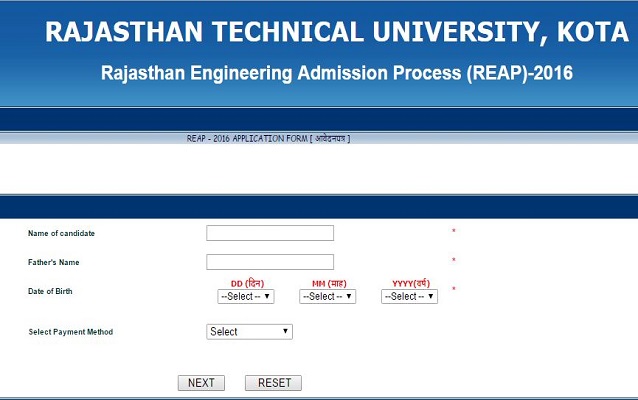
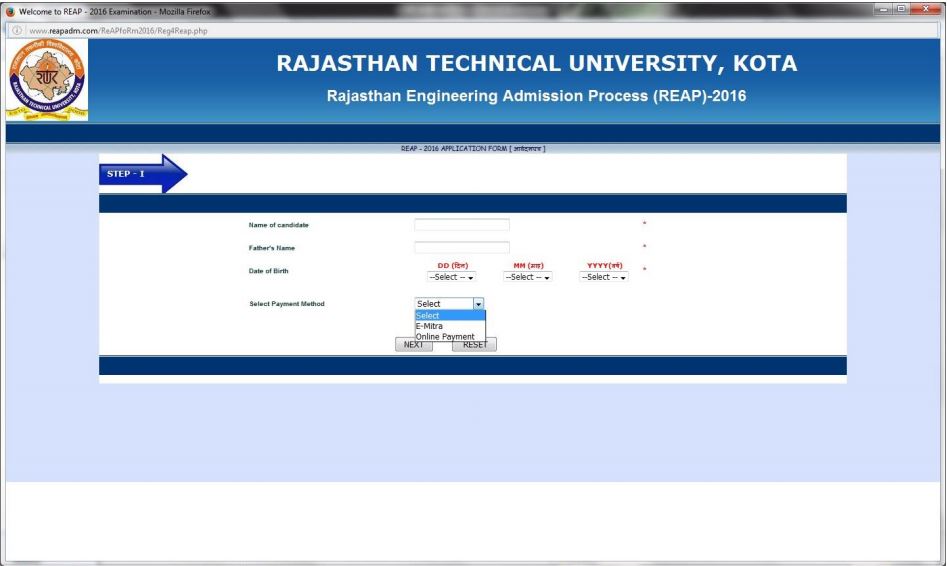
Click on “Register for REAP 2016” on the official website of Rajasthan Technical University. Fill details such as Name of Candidate, Father’s Name, Date of Birth, and Payment Method, and click “NEXT.” Now, pay the fee using either online or offline method to register for REAP 2016.
Step 2: Fill the application form
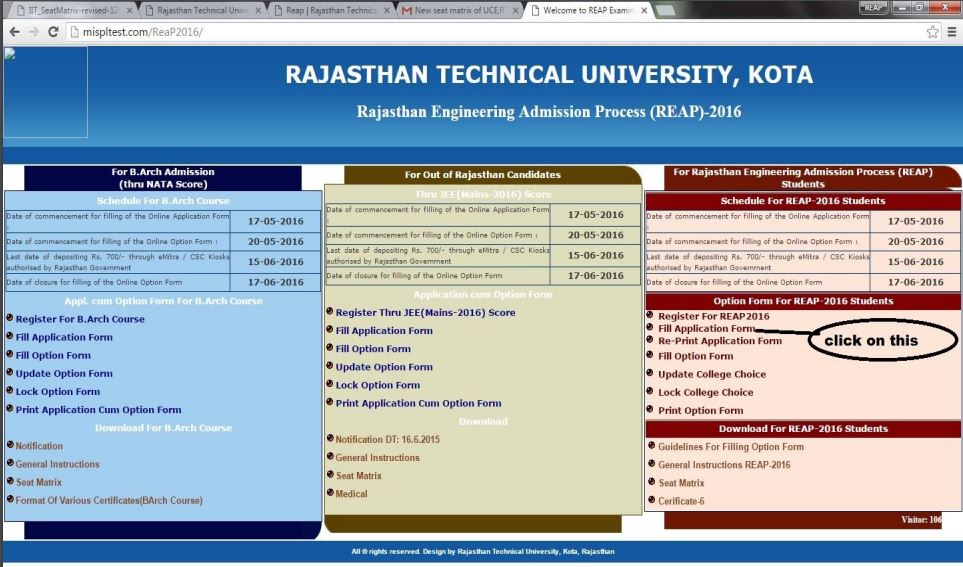
Once the fee is paid, click on “Fill Application Form” to carefully fill up all the important details in the registration form.
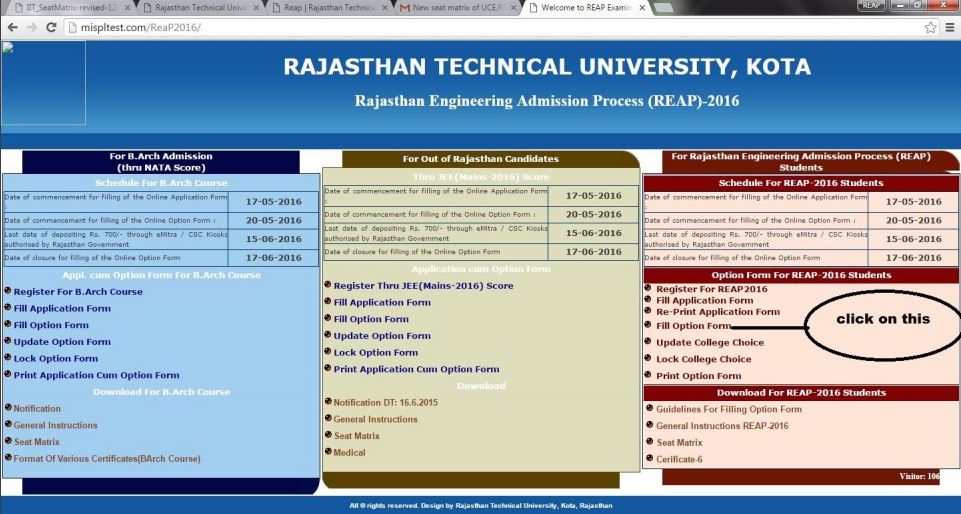
Step 3: Fill Option Form
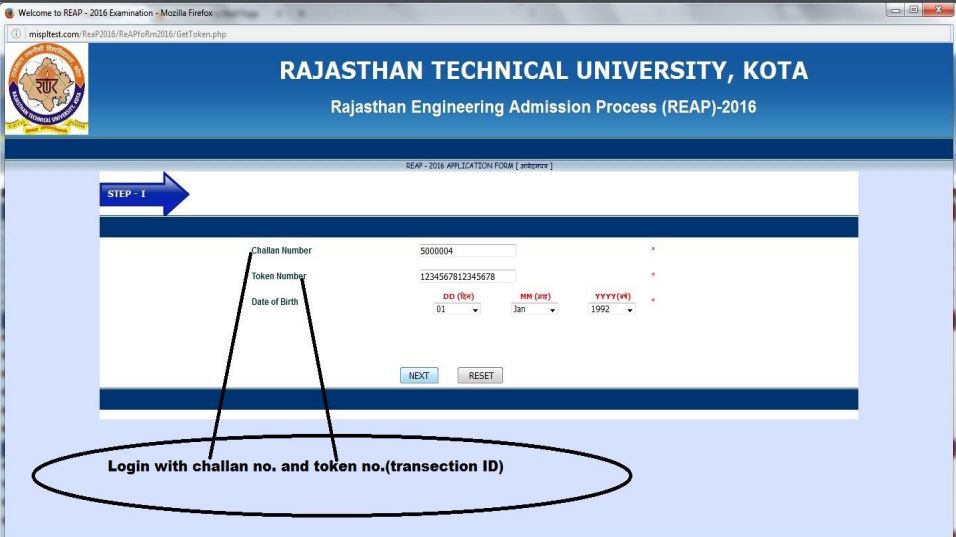
After submitting the application form, candidates need to click on “Fill Option Form” to fill the college choices available in the list. To login for Fill College Choices, one needs to submit his/her Token Number/Transaction ID, Form/Challan No. and Date of Birth, and Click “Login.”
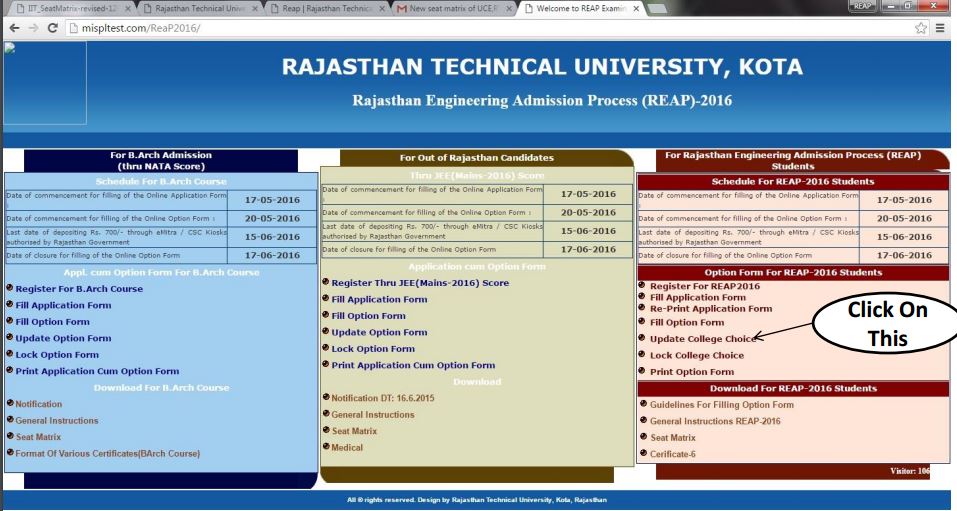
Step 4: Update College Choice
Those who wants to update the College Choice can click “Update College Choice” and fill the required details in order to update the College Choice.
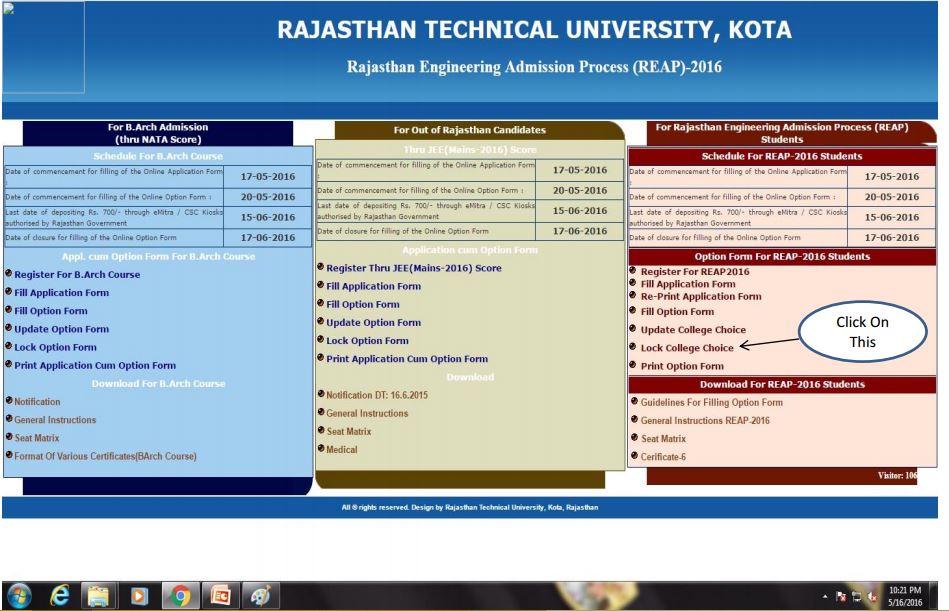
Step 5: Lock College Choices
In order to lock college choices, one needs to click “Lock College Choices” and fill details such as Token No/Transaction ID, Form/Challan No., Date of Birth, and click “Login.”
Step 6: Print Option Form
Click “Print Option Form” to fill the details for re-print college choices.
Step 7: Re-print Application Form
Lastly, to reprint the application form, one need to click “Re-print Application Form” and enter details such as Token No., Application Form No. and Date of Birth, and click “Proceed.”
Application Process of REAP for candidates out of Rajasthan
Students from outside Rajasthan needs to go through the following steps to register for REAP:
Step 1: Register for Out of Rajasthan Candidates
Click on “Register for Out of Rajasthan Candidates” on the official website of Rajasthan Technical University. Fill details such as Name of Candidate, Father’s Name, and Date of Birth, and select Payment Method, and click “NEXT.” Now, pay the fee using either online or offline method to register for REAP 2016.
Step 2: Fill the application form
Once the fee is paid, click on “Fill Application Form” to carefully fill up all the important details in the registration form.
Step 3: Fill Option Form
After submitting the application form, candidates need to click on “Fill Option Form” to fill the college choices available in the list. To login for Fill College Choices, one needs to submit his/her Application/Challan No, JEE Main 2016 Roll No, Token Number/Transaction ID, and Date of Birth, and Click “Login.”
Step 4: Update Option Form
To update the option form, once needs to click on “Update Option Form” and fill details such as Application/Challan No., Roll No., Token Number/Transaction ID, and Date of Birth and then click “Login.”
Step 5: Lock Option Form
In order to lock option form, one needs to click “Lock Option Form” and fill details such as Application/Challan No., Roll No., Token Number/Transaction ID, and Date of Birth, and click “Login.”
Step 6: Print Application Cum Option Form
Click “Print Application Cum Option Form” to fill the details such as Application/Challan No., Roll No., Token Number/Transaction ID, and Date of Birth, and then click “Login.”
To have a complete understanding on how to register for REAP 2016 successfully, one can go through the pictorial representation of online registration for REAP 2016.
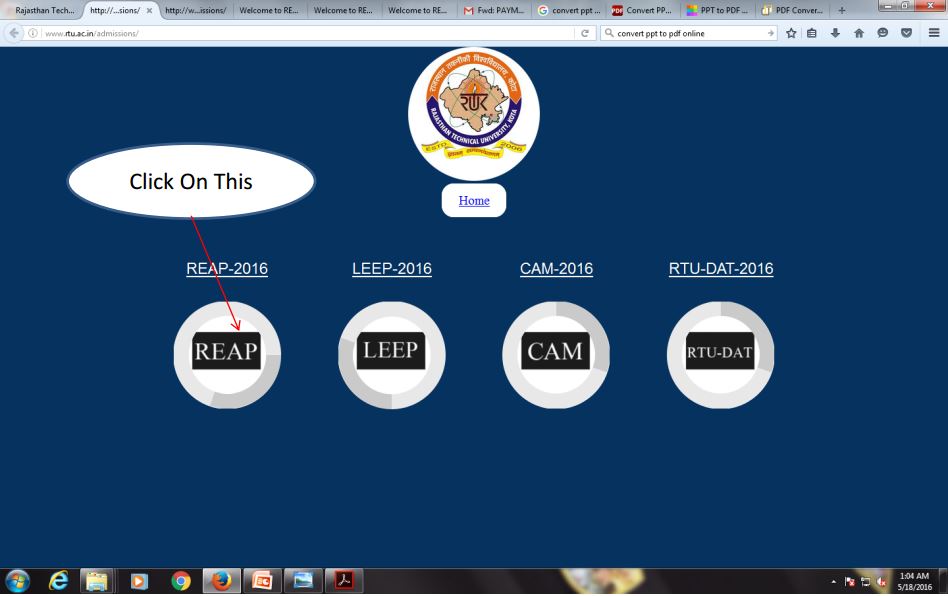
1. Visit the official website of Rajasthan Technical University and click on admissions as shown in the image.

2. Click on REAP 2016
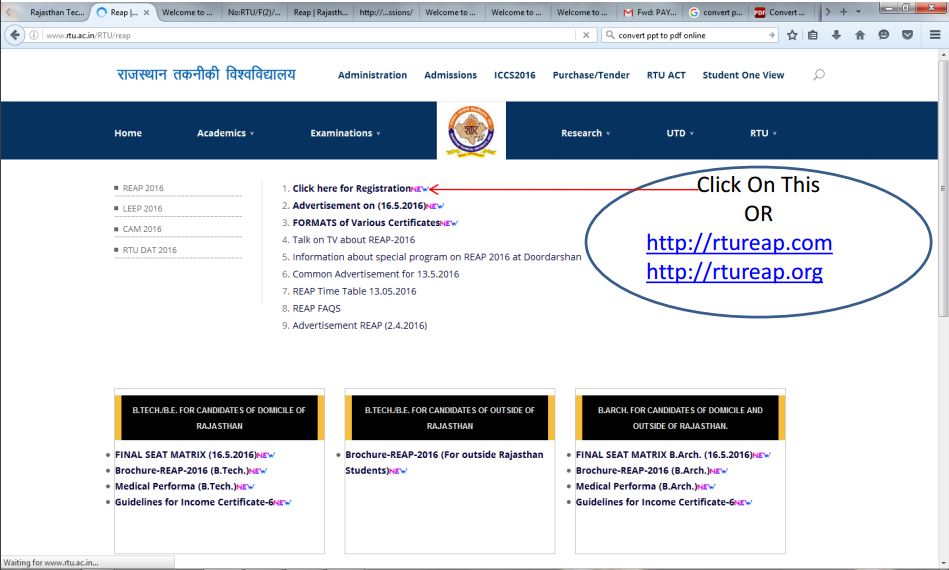
3. Select “Click here for Registration” as shown in the image.
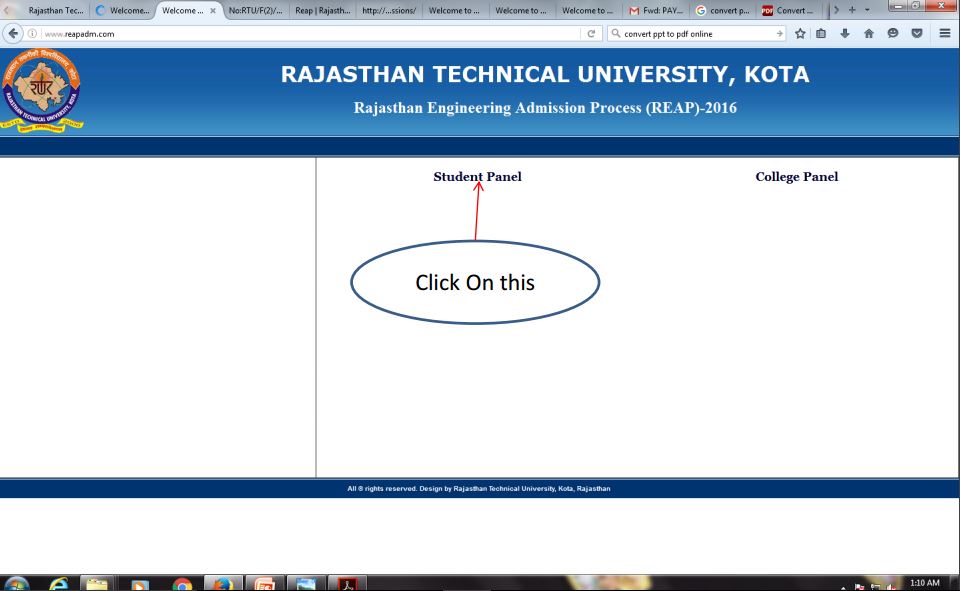
4. Select “Student Panel”
5. Now, go to the option form for REAP 2016 students as shown below and click on “Register for REAP 2016”.
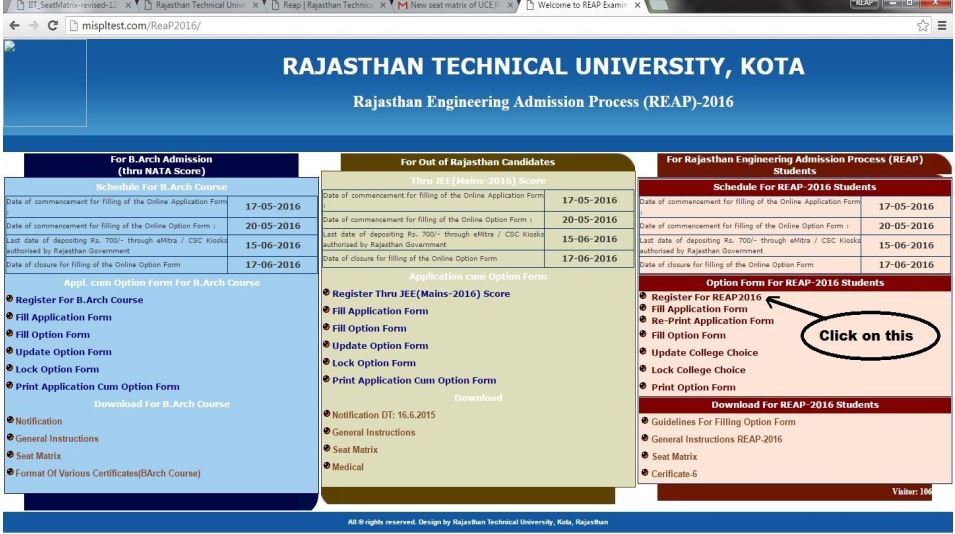
6. Fill the details shown below
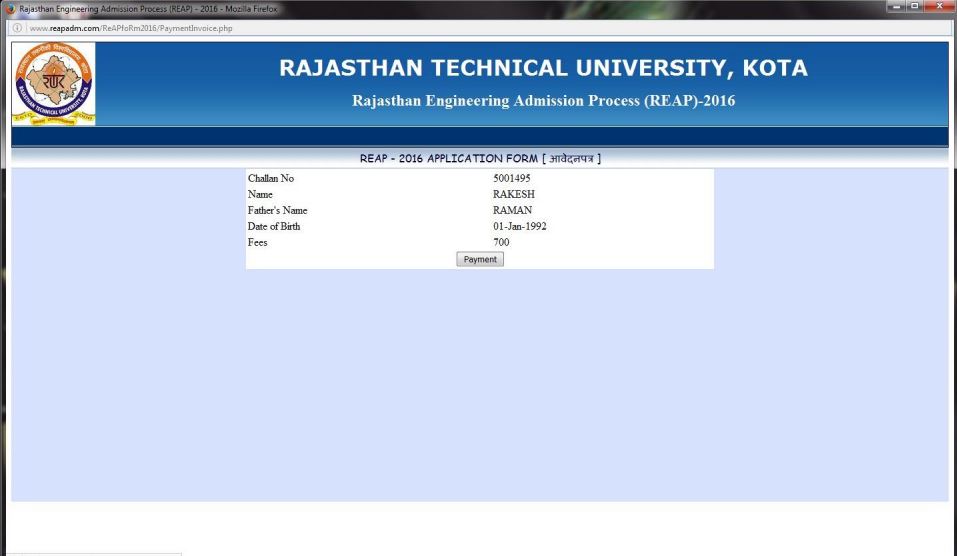
7. Here is an example of how candidate’s details will be shown.
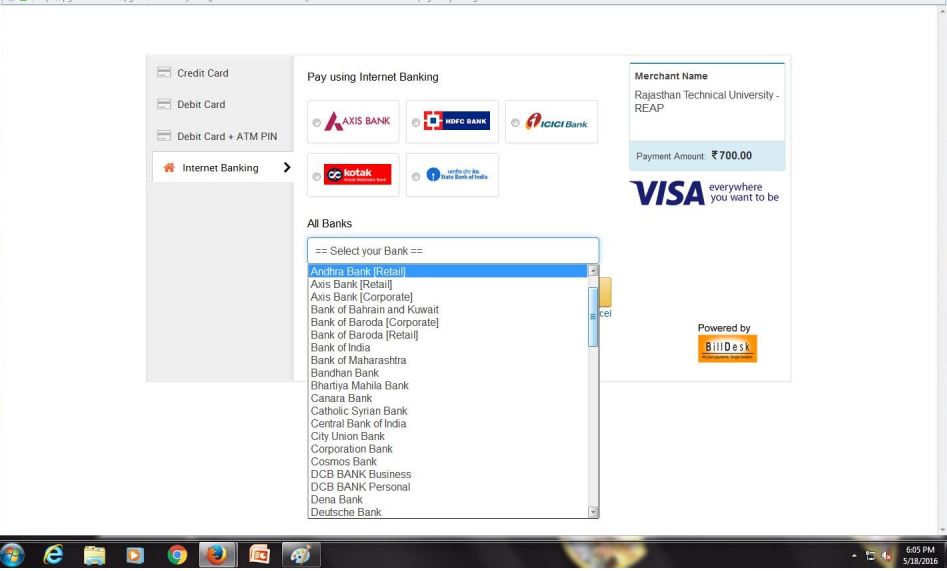
8. Make online payment using Internet Banking.
9. Once the payment is done, candidate will be shown their Challan No.
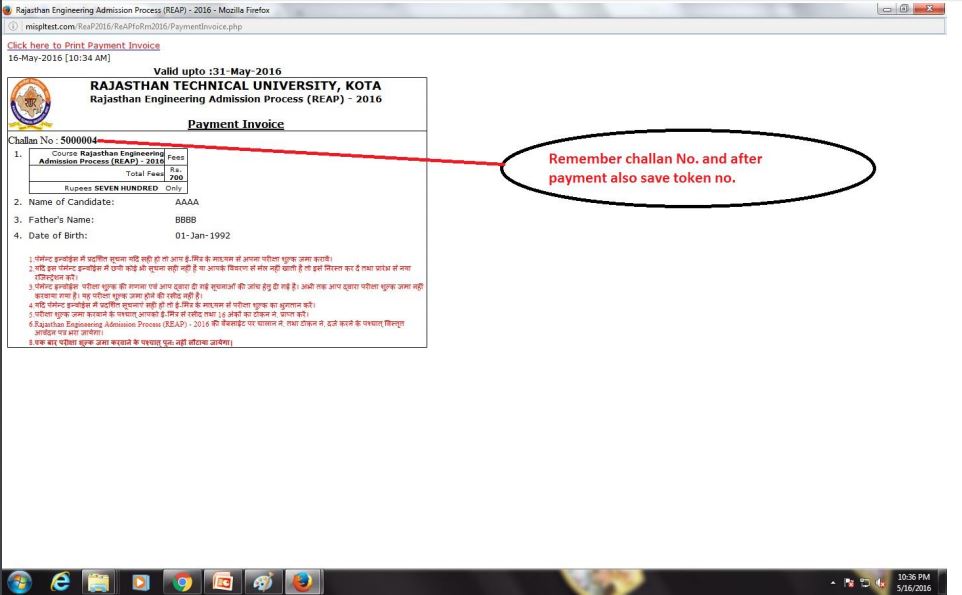
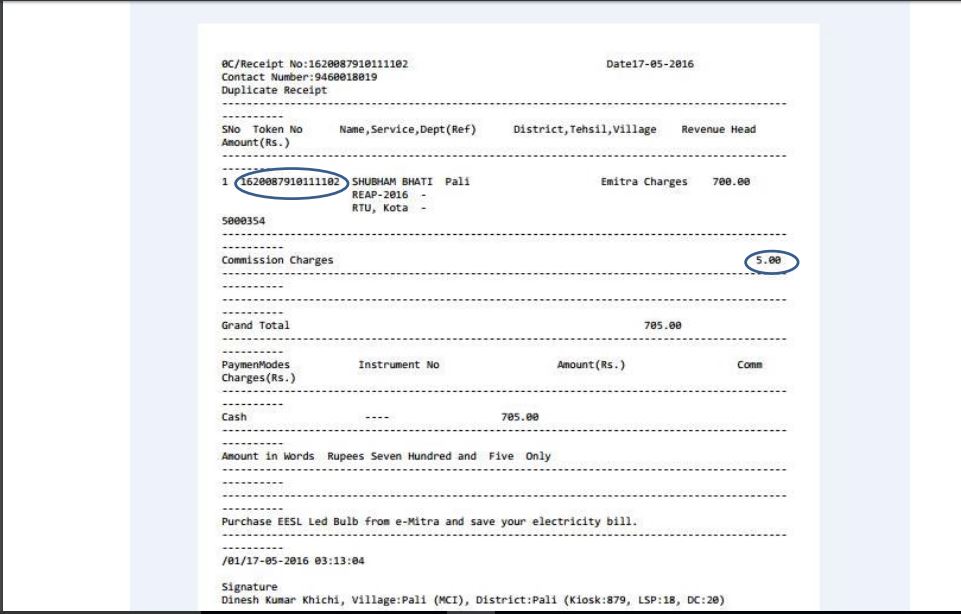
10. Now, click on “Fill Application Form”
11. Login with the Challan No. and Token No. (Transaction ID)
12. Upload your latest photograph and signature as shown in the image below
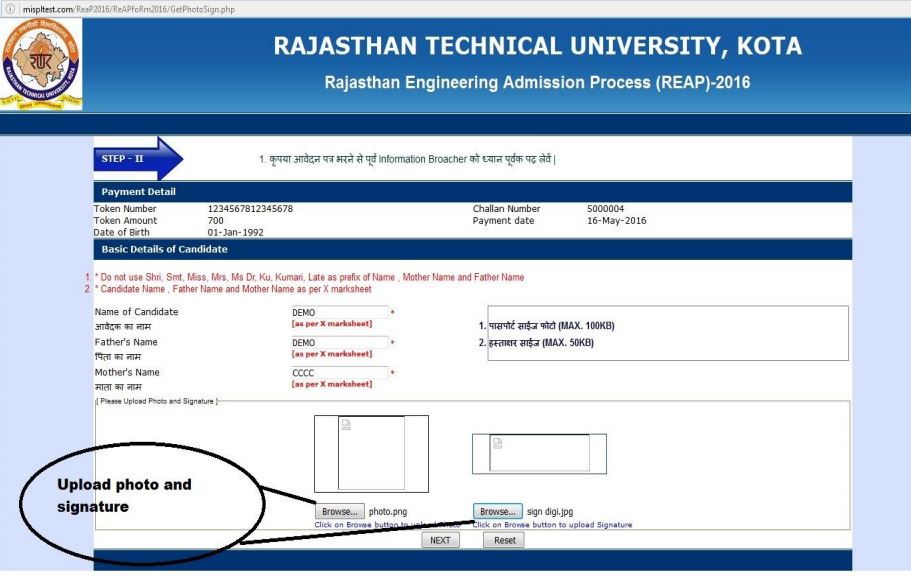
13. Fill the details as required and click on “Proceed”
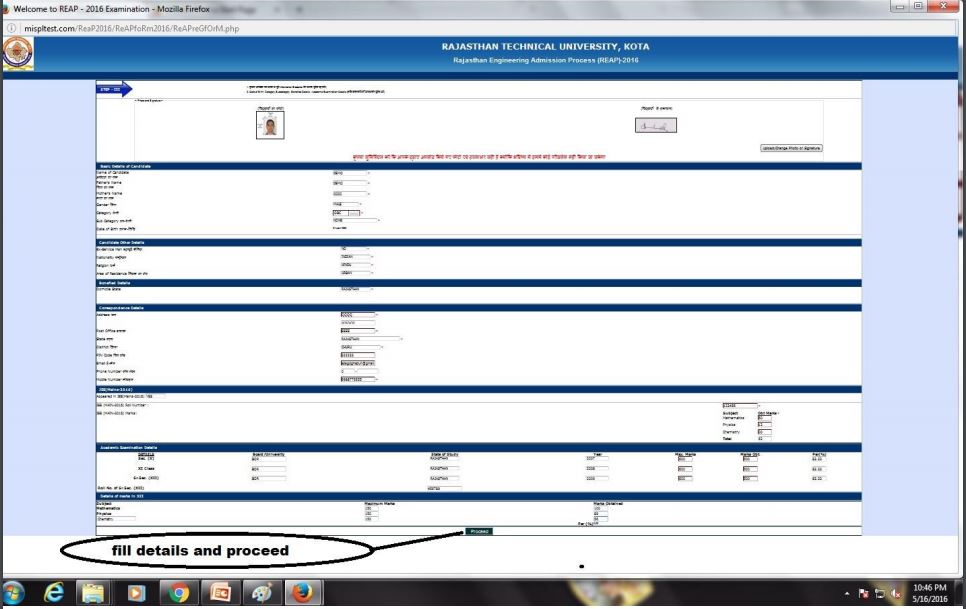
14. Verify the details filled by you
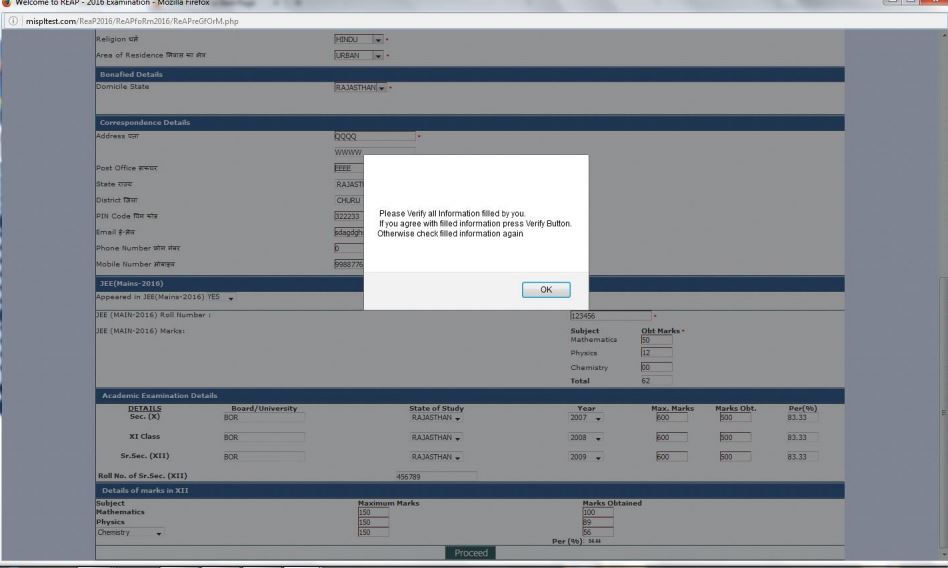
15. Once the details are verified, click “Verify”
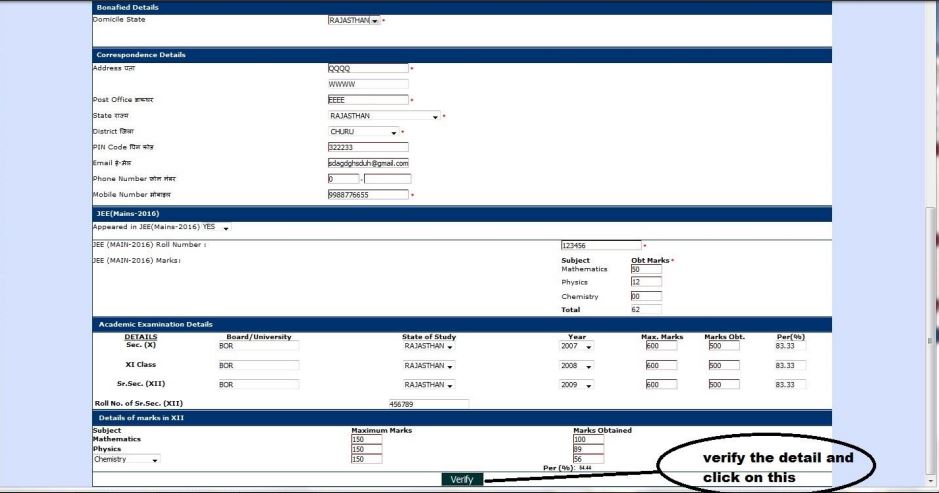
16. Now, submit the application form
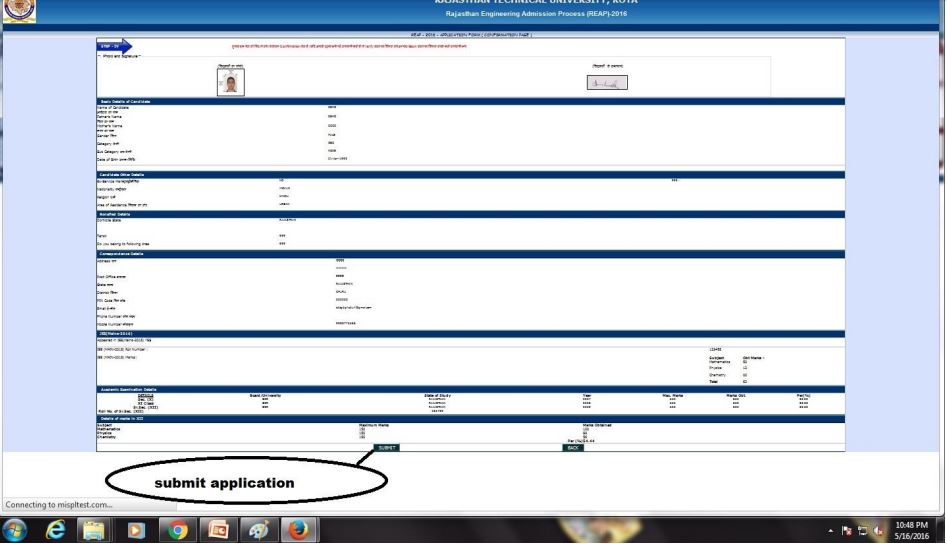
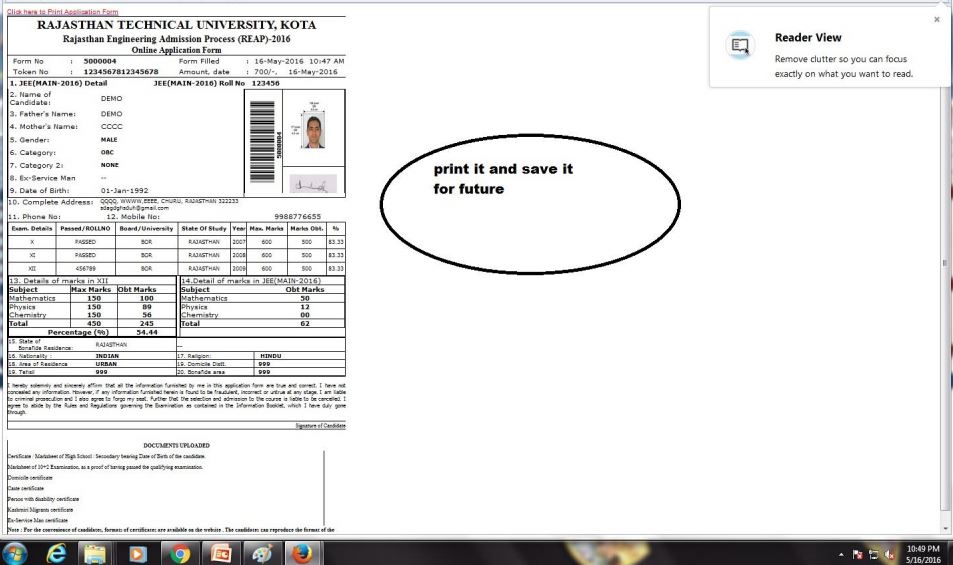
17. Take a print out of the form for future use
18. Click on “Fill Option Form”
19. Enter Token No. and Form No. and DOB to login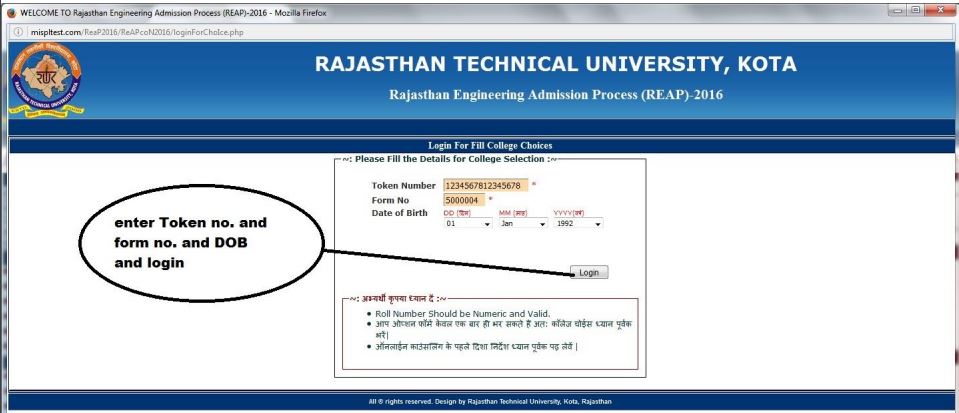
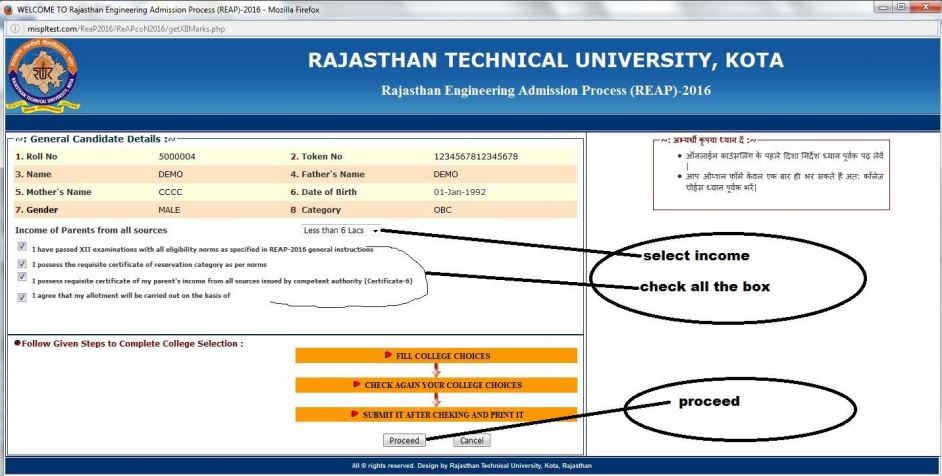
20. Select income and check all the box, and then click “Proceed”
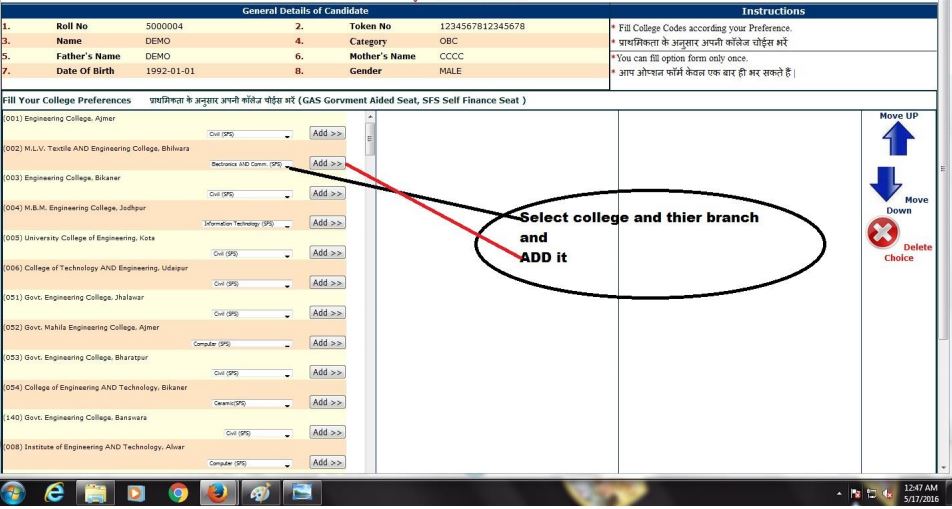
21. Select college and their branches and click “Add”
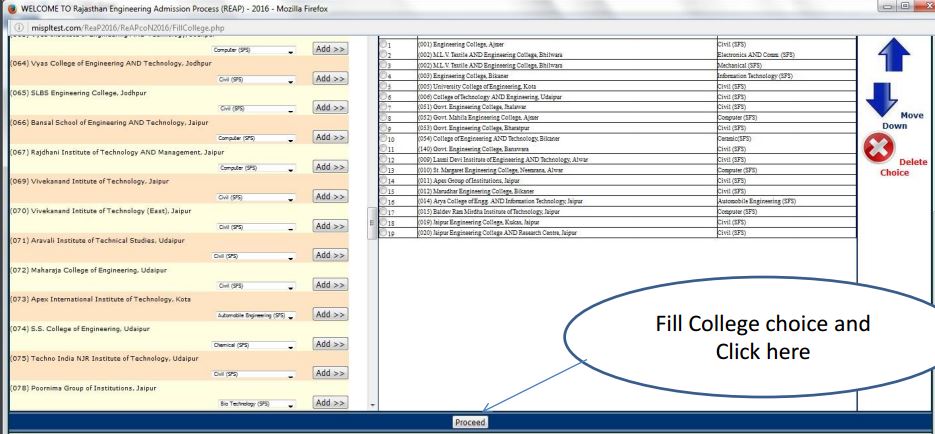
22. Fill College Choice and click on “Proceed”
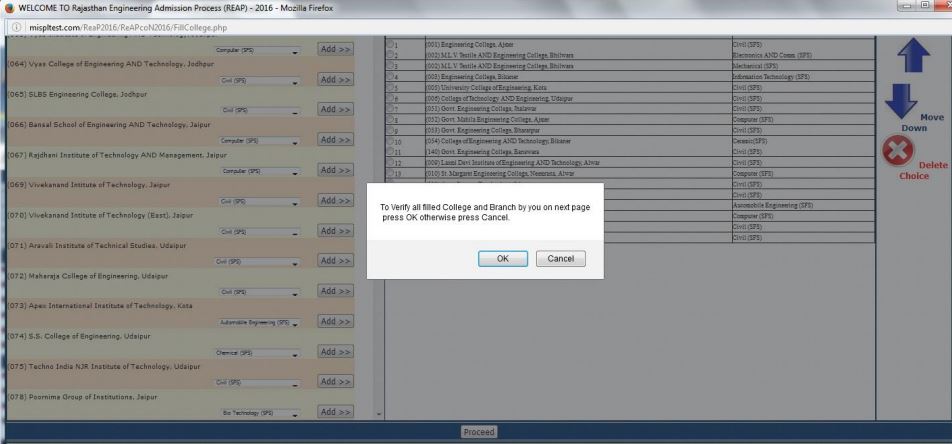
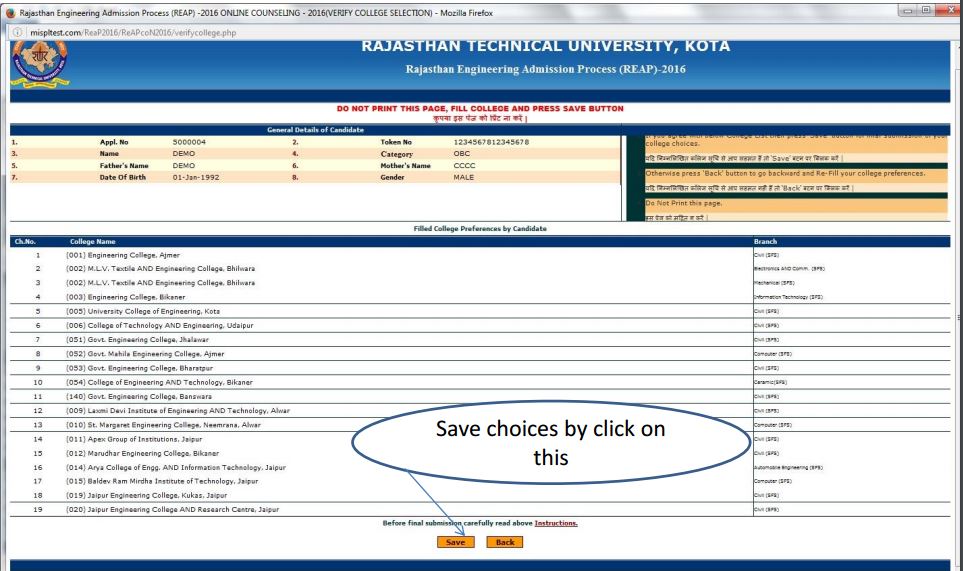
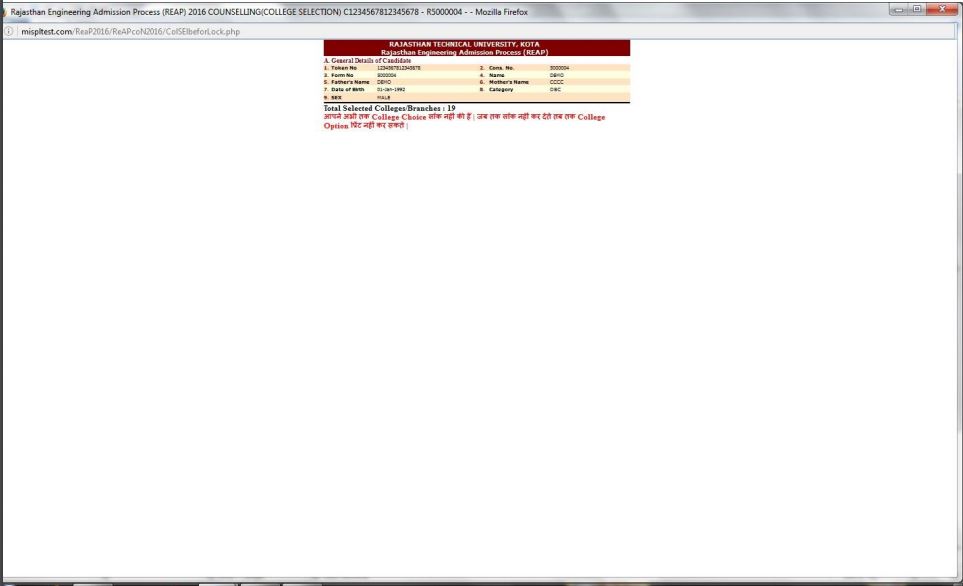
24. Verify the details and save choices
25. Click on “Update College Choices”
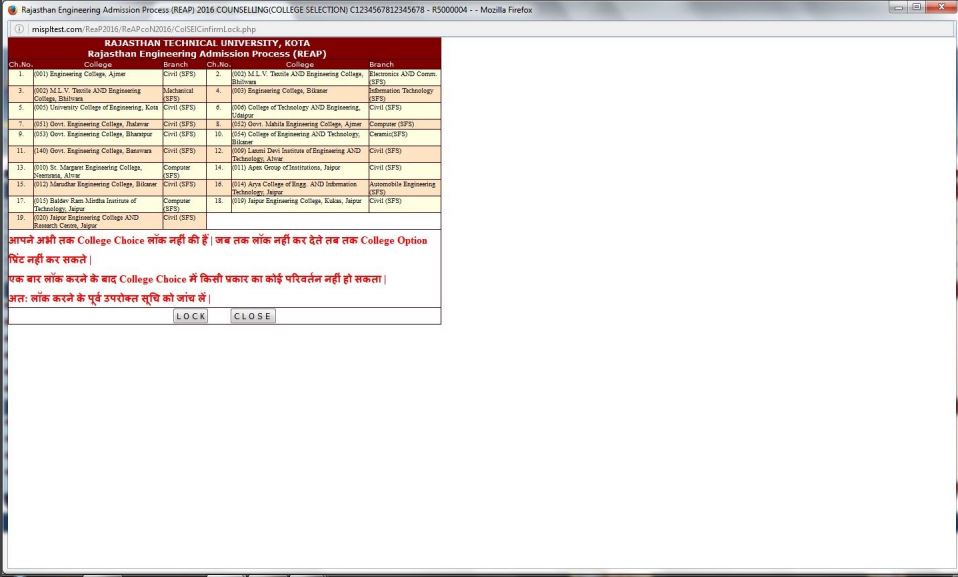
26. Click on “Lock College Choices”
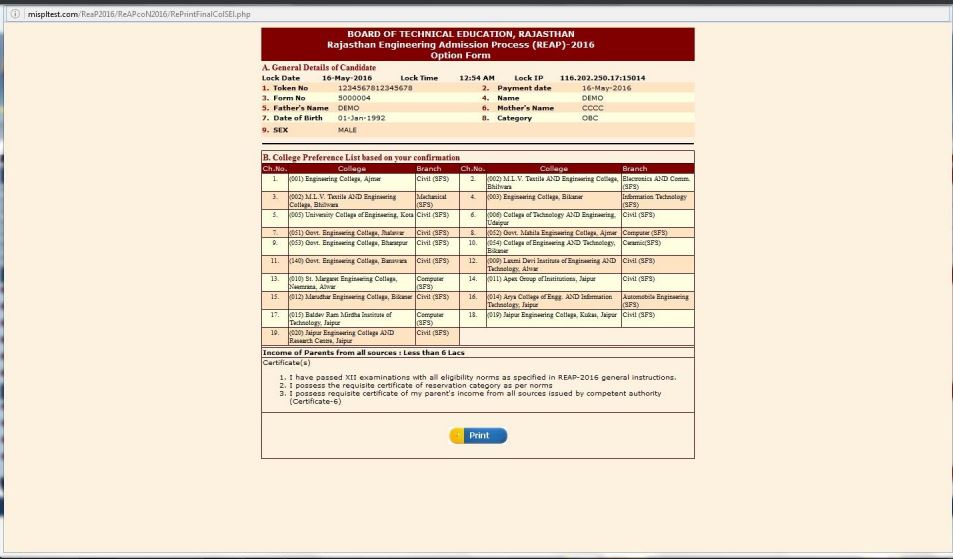
27. Take a printout of Option Form
For more updates on REAP 2016, stay tuned to Shiksha!
