MHT CET 2019 seat allotment result for CAP Round 3 released


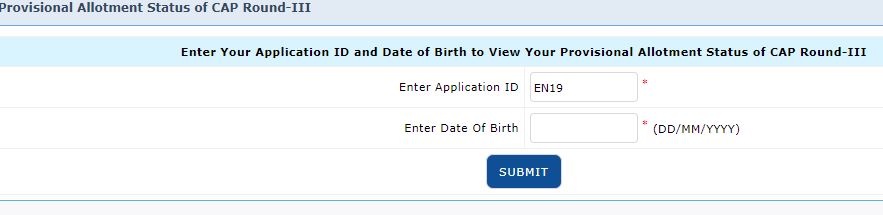
MHT CET 2019 provisional seat allotment for Centralized Allotment Process (CAP) Round 3 has been declared by the State Common Entrance Test Cell, Maharashtra on August 2. Candidates can check their allotment status by logging in to their account using application ID and date of birth on the login window.
How to check MHT CET 2019 Seat Allotment CAP Round 3 Status?
Step 1: Go to the official website of MHT CET 2019 – (https://fe2019.mahacet.org)
Step 2: Click on the ‘Check Provisional seat allotment status (CAP Round -III)’ link
Step 3: Now, enter your application ID and date of birth
Step 4: Click on the “submit” button to view your provisional allotment status of CAP Round-III
Step 5: The allotment result will be displayed on the screen

Step 6: Take a printout of the same for future reference
Those candidates whose seats are allotted for first time in CAP Round 3 should report to the Admission Reporting Centre (ARC) between August 3 and 5, 2019. Candidates who have been allotted seats in CAP round 3 need to report to the allotted Institute and confirm admission by submitting required documents and payment of fees within August 4 to 6.
MHT CET counselling was conducted through Centralized Allotment Process (CAP) in three rounds. Seat allotment was based on the candidate’s merit and their preference of seats. Through MHT CET candidates are offered admissions to first year Engineering and Technology (BE/BTech) and Pharmacy programmes (BPharma/PharmaD) in the state.
Follow Shiksha.com for latest education news in detail on Exam Results, Dates, Admit Cards, & Schedules, Colleges & Universities news related to Admissions & Courses, Board exams, Scholarships, Careers, Education Events, New education policies & Regulations.
To get in touch with Shiksha news team, please write to us at news@shiksha.com

Comments