


Union Public Service Commission (UPSC) had released the CDS application form 2020. The application form can be filled online till August 25. Know here the step-by-step process on how to fill the CDS application form.

Union Public Service Commission (UPSC) had released CDS application form 2020. The application form can be filled online till August 25. The application fees can be paid both online and offline. The application fees are Rs 200 for General and OBC male candidates. The application fees are exempted for Female/SC/ST candidates. CDS application form can be filled in two parts. Often candidates face a problem in filling the application form. To help candidates to complete the application process smoothly, we have come up with this article on how to fill CDS application form 2020. The step-by-step procedure to fill the application form is explained below in detail.
How to fill CDS 2020 application form 2020?
To fill the application form, candidates must keep certain details ready such as marksheet of Class 10 and 12, admit card of Class 10, one photo-identity proof and bank details. The simple steps given below will help candidates to fill CDS application form without any hassle.
Part I: CDS Registration
Step 1: Visit the official website of UPSC
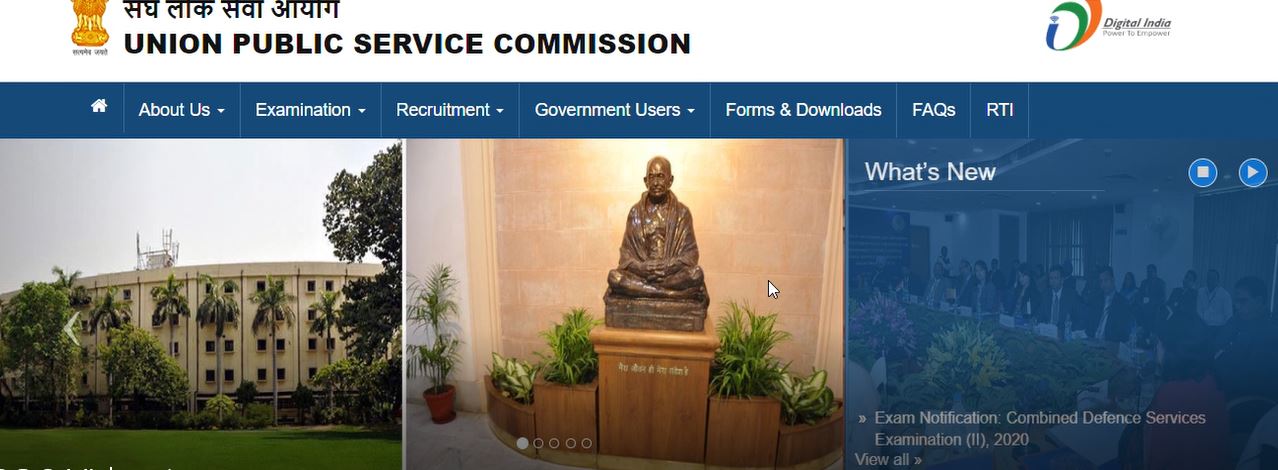
Step 2: Click the apply link of CDS
Step 3: In the application page, candidates will find two links: Part I and II

Step 4: Click the Part I registration link
Step 5: The instructions will appear on the screen. Read the instructions carefully and click on ‘Yes’ button to proceed towards filling the application form
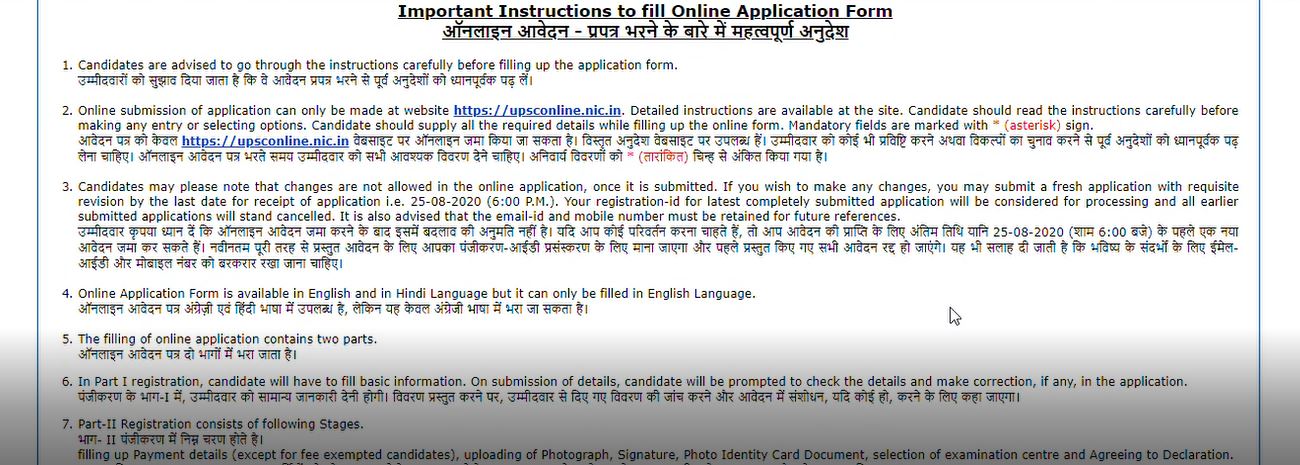
Step 6: Candidates need to fill personal details, educational qualification, address, enter photo-identity card details and preferences of defence academies


Step 7: After filling all details, candidates should click on the ‘Continue’ button to proceed to the next page
Step 8: The duly filled registration/application form will appear on the screen. Candidates need to check the details carefully and make corrections, if any. No changes in the details will be allowed after the final submission of application form
Step 9: After verifying the details, agree to the terms and conditions to complete the Part I of registration

Part II: CDS Registration
Step 1: Login with the registration number and date of birth
Step 2: Pay application fees. Candidates exempted from fee payment can directly proceed towards uploading the photograph, signature and photo-identity proof.
Step 4: Upload the scanned images of photograph, signature and photo-identity proof. The documents should be as per the dimensions provided by UPSC. The photo-identity proof should be in PDF format

Step 5: Post this, candidates need to enter the details of their photo-identity proof number
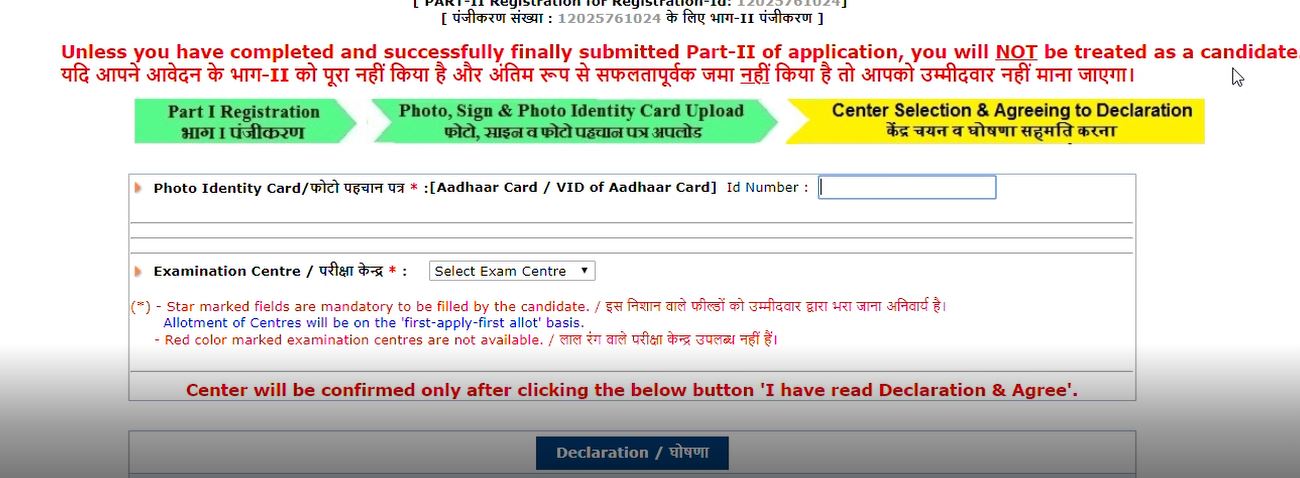
Step 6: Select the CDS exam centre and agree to the declaration
Step 7: After successfully filling the application form, candidates will receive a notification on their registered email ID and phone number
Step 8: Take a printout of duly filled application form
Watch the video below to know how to fill CDS application form 2020:

News & Updates
Explore Other Exams
22 Aug '26 - 23 Aug '26 | IBPS PO 2026 Prelims Exam |
4 Oct '26 | IBPS PO 2026 Mains Exam |
31 Jan '25 | RBI Assistant 2025 Notificatio... |
31 Dec '23 | RBI Assistant mains exam 2023 |
31 Jan '26 | AFCAT 1 2026 exam |
22 Jan '26 | AFCAT 1 Admit Card 2026 |
26 Aug '25 | RPF SI Final Result |
22 Jun '25 - 2 Jul '25 | Physical Test Date |
28 Jan '26 - 29 Jan '26 | SSC Stenographer 2025 Skill Te... |
2 Jan '26 - 1 Feb '26 | SSC Stenographer 2025 Final An... |
20 May '26 - 9 Jun '26 | NDA 2 2026 application |
13 Sep '26 | NDA 2 2026 Exam |
21 May '26 - 22 Jun '26 | SSC CGL 2026 Application Dates |
23 Jun '26 | SSC CGL 2026 Application Fee P... |
9 Dec '25 | DRDO CEPTAM Application Form 2... |
12 Jan '23 | Tier 2 exam date for STA-B |

Student Forum
 Anything you would want to ask experts?
Answered 2 weeks ago
It depends upon student to student whether they want to join coaching or not. But going for coaching basically provide a structured approach, expert guidance and also focus exam specifically that will also help in improving the success rate. Candidate will get the updated study material in the coach
K
Contributor-Level 7
Answered a month ago
There are various coaching institutes for CDS in Dehradun. Some of them are Doon Defence Dreamers, Centurion Defence Academy, Brigadier Defence Academy, etc. It will be better to visit personally to the coaching institutes in Dehradun, take the reviews regarding faculties, infrastructure, requiremen
C
Contributor-Level 6
Answered a month ago
Doon Defence Dreamers as per the results and reputation is considered to be the top choice institute for the CDS preparation. But before joining any institute, it will be better to visit the campus in Dehradun, evaluate the faculty, infrastructure and the guidance provided there.
M
Contributor-Level 7
Answered a month ago
There are several CDS coaching institutes in Dehradun which provides comprehensive written and SSB guidance. Some of the academies are mentioned below:
Centurion Defence Academy
Prasad's Banking SSC and CDS Coaching Institution
Major Kalshi Classes
Dehradun Defence School, etc.
S
Contributor-Level 7
Answered a month ago
The top CDS coaching institute in Dehradun include Cadets Defence Academy, often recognised for high selection rates and tailored SSB training, and Dehradun National Academy of Defence (DNAD). Candidates can check below for some of the other notable institutes -
1. Centurion Defence Academy
2. Doon De
T
Contributor-Level 10