

BITSAT login 2026 has been activated along with the release of application forms. Applicants applying for the BITSAT exam have to set up their login details which will be required at every stage of the admission process. Candidates can check how to generate the BITSAT login details, its uses and other details on this page.
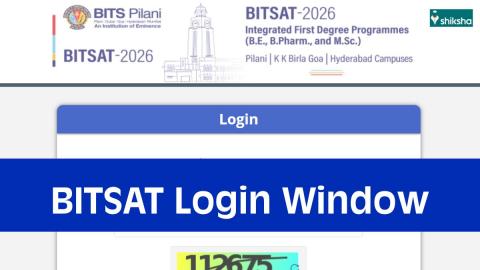
BITSAT 2026 Login Window: Application Form, Correction, Slot Booking, Admit Card
BITSAT Login 2026: BITS, Pilani has activated the BITSAT login window 2026 on the official website, admissions.bits-pilani.ac.in. The BITSAT login 2026 is the candidate's unique dashboard for all activities related to the exam. Aspirants of BITSAT 2026 have to create their login to fill the application form, access the correction window, do slot booking, download the admit card and more. To generate the BITSAT login, students have to complete the BITSAT registration.
Once the basic registration is completed, the authorities will send the login ID and password to access the BITSAT candidate login on the registered email ID and mobile number. The BITSAT login window was activated along with the release of the application form. The last date for BITSAT 2026 application form for session 1 or both sessions was March 19, 2026 and for session 2, it was May 5. Scroll down for more details on the BITSAT 2026 candidate login.
- BITSAT Candidate Login 2026
- How to Create BITSAT 2026 Login?
- BITSAT 2026 Candidate Login Uses
BITSAT Candidate Login 2026
BITSAT login window is a centralised portal for all exam aspirants during the course of admission. The BITSAT application form is available in the login window only. To access the login window, candidates require their application number and password. The authorities generate a unique application number for each applicant. For this, students have to complete basic registration on the official website, admissions.bits-pilani.ac.in. Once the registration is done, candidates will receive their login details on the registered email ID and mobile number.

Commonly asked questions
During final days before BITSAT exam, students should focus on chapters which they have already studied. New concepts and chapters should be avoided. Students should strengthen topics they have already prepared. Mock tests and revisions should be given more importance.
Students are advised to carry their passport size photograph to the exam centre. If required, the students may have to use their photograph on their BITSAT hall ticket or any other form at the centre. Along with the photograph, the BITSAT admit card and one valid ID proof has to be taken to the centre.
The authorities allow students to choose their preferred exam date and timings for the exam via the BITSAT 2026 slot booking. In case candidates do not book their slots, the authorities will allot the slots at random.
BITSAT 2026 seat allotment dates will be released at official website. Students can check their allotment status in form of iterations. To check allotment, students will have to log in with the required details.
How to Create BITSAT 2026 Login?
The BITSAT application form number and password together make up the BITSAT login details. The application number is automatically generated through a computerised process, while candidates have the option to set their password as they wish. Below is the step-by-step guide to create the BITSAT login 2026.
- Go to the BITSAT website, admissions.bits-pilani.ac.in.
- Scroll down to find the direct link to apply for BITSAT 2026.
- Click on it, and you will be redirected to the important instructions page.
- Here you will find two options- Register and Login.
- Click on ‘Register’ and click on the Personal Data Consent button.
- After this, you will be able to proceed to the next stage.
- Fill in your personal details such as name, parents’ name, date of birth, gender, mobile number and email address.
- Verify your contact details through OTP
- Tick-mark the declaration box and enter the captcha code.
Also read: BITSAT Eligibility Criteria 2026 (Revised)
Instructions for BITSAT 2026 Registration
Before proceeding with the BITSAT registration, all applicants have to ensure that they fulfil the following conditions. Failing to meet any of these will cause problems while applying for the BITSAT 2026 exam.
- Kindly use Edge Chromium or Mozilla Firefox (version 87 to 104) or Google Chrome (version 82 to 105) or Microsoft Edge(version 82 to 105) browser to fill in the Application Form.
- The Application Form is compatible with Android (version 4.0 and above) and iOS (version 9 and above).
- Fields marked with * are mandatory.
- Read the instructions carefully before filling the form.
- Kindly enter a valid Mobile Number and Email ID. OTP will be sent to both.
Must check: Documents Required for BITSAT 2026

Explore more B.Tech exams with upcoming dates

3 Oct '26
MET

24 Oct '26
30 Oct '26
1 Jun '26 - 31 Oct '26
31 Oct '26
JEE Main
1 Nov '26 - 30 Nov '26
1 Nov '26 - 30 Nov '26
21 Sep '26 - 2 Dec '26
BITSAT 2026 Candidate Login Uses
The login details for BITSAT must be kept safe until the completion of the admission process. The BITSAT 2026 login details will be required each time for logging into the portal. Below, candidates can check the various events for which the BITSAT login window is required and some guidelines for each of these events.
Filling the BITSAT Application Form 2026
At first, the BITSAT login window is required for filling the BITSAT 2026 application form. The application form can be filled out only by the registered candidates via the login portal.
BITSAT Application Form Correction 2026
The BITSAT form correction facility will be available for each session. The BITSAT 2026 application form correction date for session 1 was March 18 to 20. The correction window will be available in the login portal only. For this, students will have to log in through the BITSAT candidate portal and make the required changes.
BITSAT 2026 Slot Booking
The authority has announced the BITSAT exam dates 2026. The institute conducted BITSAT session 1 exam from April 15 & 16, 2026. The session 2 exam was held from May 25 to 27, 2026. Candidates can choose their preferred exam date and shift timings through the slot booking facility. Registered students will be able to complete the BITSAT slot booking on the official website admissions.bits-pilani.ac.in. For this, students will have to click on the direct link, which will require their application number and password (BITSAT login details).
BITSAT Admit Card Download
Registered candidates will be able to access the BITSAT 2026 hall ticket online. To access and download the BITSAT admit card, the required login credentials, i.e., application form number and password, have to be used. The authorities will not use any other mode to release the hall ticket.
BITSAT Result 2026
The moderated scores for BITSAT will be available through the results only. Students will have to log in to the candidate portal to download their scorecards. The authority will also display the scores immediately after the test. However, students can check their scores after moderation only by logging in to the portal once the BITSAT result link is activated.

News & Updates
Explore Other Exams
Oct '26 | JEE Main 2027 Registration Ses... |
Dec '26 | JEE Main 2027 Correction Windo... |
Oct '26 | SRMJEEE 2027 Notification |
Nov '26 | SRMJEEE 2027 Registration Phas... |
Oct '26 | VITEEE 2027 Registration Start... |
Apr '27 | VITEEE 2027 Mock Test Release ... |
Jun '26 | JoSAA 2026 starts |
1 Jun '26 | JEE Advanced 2026 Result Date |
Feb '27 | COMEDK Application Form 2027 |
Feb '27 | COMEDK Mock Test Release Date ... |
Oct '26 | AEEE 2027 Phase 2 Registration |
Nov '26 | AEEE 2027 Phase 1 Registration... |
Student Forum
 Anything you would want to ask experts?
Answered 2 weeks ago
The authority conducts the BITSAT exam in two sessions. The BITSAT 2027 session 1 exam will be held in April, while session 2 exam will be held in May. Candidates can appear in any one or both sessions. In case students appear for both the best of the two will be considered.
S
Contributor-Level 10
Answered 2 weeks ago
No. BITS Pilani does not announce the list of BITSAT toppers. However, if the list of toppers is released, the students will be able to access it here. Students will be scored as per their performance in the exam. If both exam sessions are attempted, then the best score will be considered for admiss
S
Contributor-Level 10
Answered 2 weeks ago
The BITSAT 2027 result will be released a few days after the exam concludes. Students will be able to check their scores immediately after the exam ends, while the moderated scores will be released through the result.
S
Contributor-Level 10
Answered 2 months ago
Aspirants with Physics, Chemistry and Biology in Class 12 can only apply for BE Environmental & Sustainability and BPharm courses of BITS Pilani Hyderabad campus. For all other BE specialisations, PCM is required. Aspirants must pass BITSAT for admission in BE and BPharm courses.
N
Guide-Level 15
Answered 2 months ago
BITS Hyderabad BE cutoff 2026 for the General AI category ranged from 211 to 286 in the second round. As per this round, CSE and Mathematics and Computing were the most competitive branches for admission.
Students can check the table below to know the branch-wise Round 2 cutoff for the above-mention
N
Contributor-Level 10
Answered 2 months ago
Yes, you can get into BITS Pilani in the second round if you belong to the General AI category. For this category, the BITS Pilani BITSAT cutoff 2026 for Round 2 ranged from 222 to 319. Students can check the table below to know the available courses.
| Course | BITS Pilani BITSAT cutoff 2026 |
|---|---|
| Integrated M.Sc. in Biological Sciences | 222 |
| Integrated M.Sc. (Hons.) in Biological Sciences | 222 |
| B.E. in Environmental and Sustainability, Pilani Campus | 222 |
| B.E. in Pharmaceutical Engineering, Pilani Campus | 231 |
| Integrated M.Sc. (Hons.) in Chemistry | 234 |
| Integrated M.Sc. in Chemistry | 238 |
| Integrated M.Sc. (Hons.) in Physics | 239 |
| B.E. in Civil Engineering, Pilani Campus | 241 |
| Integrated M.Sc. (Hons.) in Mathematics | 243 |
| B.E. in Manufacturing Engineering | 245 |
| B.E. in Chemical Engineering, Pilani Campus | 246 |
| Integrated M.Sc. in Physics | 248 |
| Integrated M.Sc. (Hons.) in Semiconductor and Nanoscience | 250 |
N
Contributor-Level 10
Answered 2 months ago
In case of General AI, the BITS Pilani BITSAT cutoff 2026 is between 211 and 309 in Round 6. Thus, the cut-off to be attained for admission is 211.
It must be mentioned that different cutoffs would apply for other categories, rounds, courses, streams, etc.
The cutoff data displayed above has been sour
N
Contributor-Level 10
Answered 2 months ago
BITS Pilani BE cutoff 2026 has been released for BE, BPharm and Integrated MSc courses. For BE, the final BITSAT 2026 cutoff ranged from 211 to 308 for students belonging to the General AI quota. Check out the branch-wise BE cutoff 2026:
Program | Cut-off Score 2026 |
|---|---|
B.E. Chemical | 226 |
B.E. Civil | 222 |
B.E. Electrical & Electronics | 266 |
B.E. Mechanical | 239 |
B.E. Computer Science | 308 |
B.E. Electronics & Instrumentation | 261 |
B.E. Electronics & Communication | 289 |
B.E. Manufacturing | 226 |
B.E. Mathematics and Computing | 299 |
B.E. Environmental and Sustainability | 213 |
B.E. Pharmaceutical Engg. | 211 |
N
Contributor-Level 10